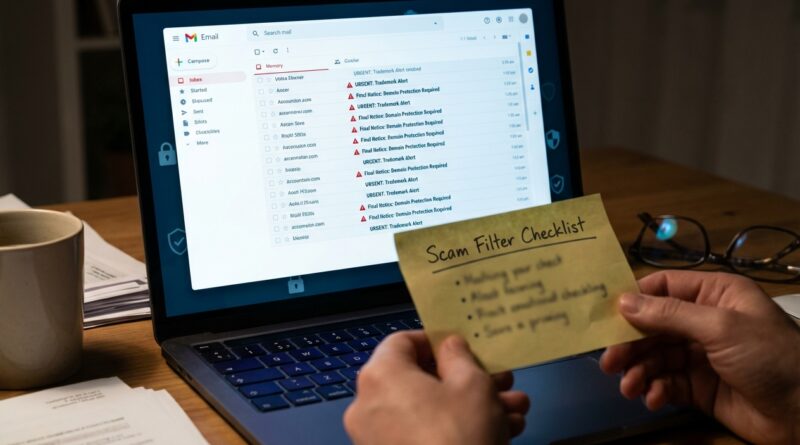
New Wave Of Domain Trademark Scams: How To Spot Fake ‘Urgent’ Emails Before They Steal Your Brand
You open your inbox, see “URGENT NOTICE,” and your stomach drops. The email says someone in China, Europe, or “another party” is about to register your brand as a domain or trademark unless you reply now. It looks official. It uses legal terms. Sometimes it even includes your real business name or a mark you just filed. That is what makes this scam so effective. A good trademark domain scam email does not look silly. It looks just believable enough to make a busy founder panic and pay first, think later.
The good news is that most of these messages follow the same playbook. They pressure you, ask for fast payment or confirmation, and hope you will click before you verify. If you know what real notices from the USPTO, your registrar, and legitimate monitoring services usually look like, these scams get much easier to spot. Let’s walk through the red flags, the safe checks you can do in a few minutes, and the simple steps that protect your brand without turning every scary email into a legal bill.
⚡ In a Hurry? Key Takeaways
- Most “urgent” domain and trademark notices are scams or overpriced solicitations, not official legal emergencies.
- Do not click links or reply. Check the sender domain, look up the domain through a trusted WHOIS tool, and log in to your registrar or USPTO account directly.
- If a message pushes same-day payment, uses vague threats, or asks you to “confirm ownership” by email, treat it as suspicious until proven real.
Why these scam emails are hitting brand owners right now
There has been a visible jump in messages aimed at small brands that recently filed a trademark, searched for one, or launched a new site. That is not random.
Trademark filings, business registrations, and domain records often create enough public breadcrumbs for scammers to find fresh targets. They scrape names, filing data, contact details, and website info, then send notices that sound just specific enough to feel real.
New founders are especially exposed. If this is your first filing, you may not know which emails are routine, which are just aggressive marketing, and which are outright fraud.
What a trademark domain scam email usually says
The wording changes, but the formula is pretty consistent. A typical trademark domain scam email might claim:
- Another company is trying to register your brand as a .cn, .asia, .vip, or other domain.
- A “third party” filed a trademark application matching your name in another country.
- You have a short deadline to object, reserve, or confirm your rights.
- The sender can “help” you block the registration if you pay now.
- You need to reply with your company details, ID, or domain account information.
Some are phishing attempts. Some are fake legal threats. Some are just high-pressure sales pitches for domain bundles you do not need. The result is the same. Panic, confusion, and money out of your pocket.
The biggest red flags to look for
1. Fake urgency
Scammers love a countdown. “Reply within 24 hours.” “Final notice.” “We will release the domain if you do not respond today.”
Real legal and registrar communications can be time-sensitive, but they usually tell you exactly what proceeding, account, or renewal they are talking about. Scam messages stay vague because vagueness gives them room to bluff.
2. A sender address that almost looks right
Check the actual email address, not just the display name. “USPTO Support” means nothing if the message comes from a random Gmail address or a domain that looks like a typo.
Also watch for extra words and odd endings, such as:
- uspto-service-alerts.co
- domain-registry-center.net
- brandprotectionoffice.org
Those names sound official on purpose.
3. Legal language with no case number you can verify
Scammers often stuff emails with phrases like “intellectual property rights,” “exclusive use,” and “priority registration.” Fine. But where is the filing number, proceeding number, registrar account reference, or direct record you can independently verify?
If they cannot point you to a real record, be careful.
4. Pressure to reply instead of log in directly
A real registrar wants you in your account. A scammer wants you in their email thread.
If the message says “reply to confirm your ownership” or “send us your registration details,” stop there. Never hand over account info from an unsolicited email.
5. Strange payment requests
If they want a wire transfer, crypto, or payment through a portal you have never used, that is a bright red flag. So is a wildly inflated “defensive registration package” for domains you never asked for.
What real communications usually look like
Real does not always mean friendly, but it is usually more traceable.
Messages from the USPTO
Official communications about your U.S. trademark application should tie back to a real application record you can find by logging in to the USPTO system directly. They are not asking you to save your brand by paying some outside “office” through a random link.
If you are unsure, do not use the email link. Open your browser and go to the USPTO site yourself. Find your application from there.
Messages from your domain registrar
Your registrar usually refers to domains you already own, account renewals, DNS changes, transfer requests, or security alerts. The safest move is simple. Open a new tab and log in to your registrar directly. If there is a real issue, it will be waiting in your account dashboard.
Legitimate monitoring services
Some lawyers and brand monitoring companies do send alerts about new filings or similar domains. The difference is that reputable services are identifiable, do not force same-day payment, and can tell you exactly what they found and where.
If you never hired them, treat the email as a cold pitch until proven otherwise.
How to check whether the domain claim is real
You do not need to be a domain expert. You just need a calm, repeatable checklist.
Step 1. Do not click anything
Not the links. Not the attachments. Not the unsubscribe button. Open a fresh browser window instead.
Step 2. Look up the domain independently
Use a trusted WHOIS or domain lookup tool. Search the domain they mention. You are looking for basic facts:
- Is it actually registered?
- When was it created?
- Which registrar is involved?
- Does the timing match the story in the email?
If the email says a third party “just applied” for the domain, but the domain has been registered for years, the story falls apart fast.
Step 3. Check your own registrar account
If the notice involves your current domain, log in directly and review:
- Renewal status
- Transfer lock
- Admin contact email
- Two-factor authentication
This step matters because some scam emails are not just after money. They are fishing for the details needed to steal your domain.
Step 4. Search the sender and the text
Paste a chunk of the email into a search engine. Many of these scams have been reported word for word by other founders.
Step 5. Check trademark records directly
If the message mentions a trademark filing, search official databases yourself. Do not trust a screenshot inside the email. Screenshots are easy to fake. So are attached “certificates.”
That same rule applies more broadly to brand impersonation. If you are worried about fake content using your identity, it is worth reading Deepfake Laws Are Here: What They Mean For Your Brand’s Name, Face And Voice. The common lesson is simple. Verify at the source, not through the scary message sent to you.
How scammers make these emails look convincing
This is the part that catches smart people. The message may include:
- Your exact brand name
- Your business address
- A real trademark serial number
- A copied logo from your website
- Names of real registries or agencies mixed with fake ones
That does not prove the sender is legitimate. It often just proves they did homework.
Think of it like junk mail that knows your mortgage lender. It feels personal, but it is still junk.
What to do if you already clicked or replied
Do not beat yourself up. These messages are designed to catch people when they are busy.
If you clicked a link
Close the page. Run a security scan on your device. If you entered any passwords, change them now from a clean browser session.
If you gave registrar or email credentials
Change your password immediately. Turn on two-factor authentication. Review account recovery settings and authorized devices. Lock your domain against transfer if your registrar offers that option.
If you paid
Contact your bank or card issuer right away. Ask whether the payment can be reversed or flagged as fraud. Save the emails, invoices, receipts, and headers.
If your domain was targeted
Contact your registrar’s abuse or support team directly through the official website. Explain that you may have responded to a phishing message and want your account reviewed for unauthorized changes.
A simple response plan for your team
If more than one person touches your website, domain, or legal inbox, set a tiny internal policy now. It can be three rules:
- No one clicks links in domain or trademark notices before verifying the sender.
- All domain actions happen only through bookmarked registrar logins.
- Any “urgent” legal notice gets checked by one designated person before payment.
That little process can save a lot of stress.
What you can safely ignore, and what you should not ignore
Usually safe to ignore or delete
- Emails offering to “reserve” foreign domains you never requested
- Vague warnings about unnamed third parties
- Messages from fake registries or “brand protection centers” you have never heard of
- Letters or emails demanding immediate payment with no verifiable record
Worth checking carefully
- Actual renewal notices from your known registrar
- Real USPTO updates you can confirm in your application record
- Transfer confirmation emails tied to your current domain account
- Messages from your attorney or a service you knowingly hired
At a Glance: Comparison
| Feature/Aspect | Details | Verdict |
|---|---|---|
| Urgent domain warning | Claims someone else will register your brand unless you reply or pay immediately, often with vague facts and a suspicious sender address. | Usually a scam or pressure sale. Verify independently before doing anything. |
| Official trademark communication | Can be matched to a real filing, application, or account record through official channels you access yourself. | Check directly on the official site. Do not rely on the email link. |
| Safe next step | Look up the domain, log in to your registrar directly, search trademark records yourself, and turn on account security features. | Best practice. Low effort, high protection. |
Conclusion
If a trademark domain scam email lands in your inbox, the goal is not to outsmart it in real time. The goal is to slow down and verify from the source. That one habit protects your wallet, your domain, and your brand. This matters right now because small online brands, especially founders filing their first marks in 2026, are getting hit with more trademark-themed scam emails and domain notices than before. Many do not yet know what real USPTO messages, registrar alerts, or legitimate monitoring emails look like, which makes them easy targets for phishing, overpayment, and even domain theft. A practical, screenshot-driven approach that shows what to check, where to look up domain data, and when to respond or ignore can give solo founders and small teams real peace of mind. You should not have to hire outside counsel every time an alarming email shows up. Most of the time, a calm five-minute check is enough to separate a real issue from a scare tactic.