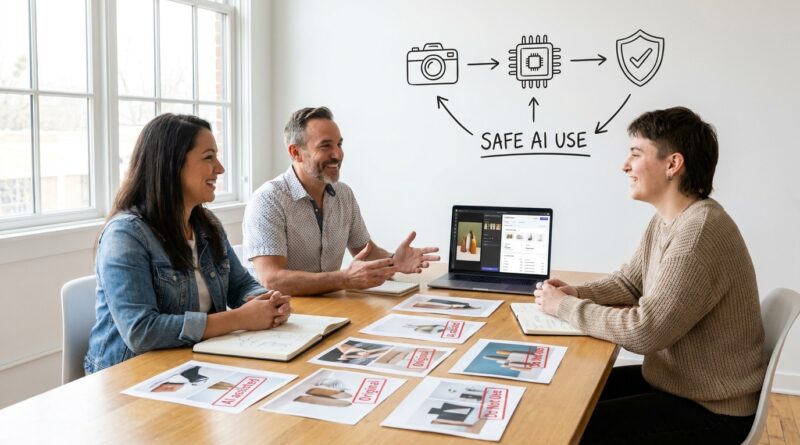
New AI IP Crackdowns Are Coming For Your Product Photos And Listings: How To Bulletproof Your Brand Assets Now
You cleaned up a product photo with an AI tool. You used auto background removal on your marketplace images. Maybe you asked a chatbot to rewrite your bullet points so your listing sounded less clunky. That all feels normal now. It is normal. But it is also where a quiet legal problem is starting to grow. Regulators, platforms, and courts are beginning to look at AI-generated and AI-edited content as something that may need different proof, different disclosures, and different ownership records. That is frustrating, especially for small brands that were just trying to save time. If your logo files, product photos, or listing copy were touched by AI and you did not document what happened, you could run into trouble later when you try to enforce your trademark, fight a copycat seller, or appeal a takedown. The good news is you do not need to stop using AI. You just need cleaner records and a smarter workflow.
⚡ In a Hurry? Key Takeaways
- AI trademark protection for product photos starts with documentation. Know exactly which images, logos, and listing text were AI-generated, AI-edited, or fully human-made.
- Create an asset log now. Save original files, edited versions, tool names, dates, prompts, and who approved the final version.
- You can still use AI safely, but sloppy records can weaken your position if you need to report infringement or prove ownership later.
The hidden risk is not the tool. It is the missing paper trail.
Most small businesses did not set out to create an IP mess. They just used the tools built into Shopify apps, Canva, Adobe, Amazon listing helpers, or marketplace photo editors.
One click removed a background. Another sharpened the image. A text tool rewrote a title. A design tool suggested a logo variation. Done.
The problem is that many businesses cannot now answer a very basic question. What exactly is the original brand asset, and what exactly was changed by AI?
That matters more than it used to. If you have to prove ownership, show first use, explain a logo’s origin, or challenge a copycat seller, fuzzy answers are bad news.
Why AI-touched assets can create trademark and IP headaches
1. Your “official” brand image may not be clearly defined
If you have five versions of the same product image, and three were edited by different AI tools, which one is the real branded asset? If your packaging logo was polished by a generator, is that final version the same mark you filed, or a new variation?
These are not academic questions. Platforms and enforcement teams often want simple proof. They want to see the asset, the date, and your rights in it.
2. Listing copy can become a ownership mess
Many brands use AI to rewrite titles, descriptions, and bullets. That may be fine for marketing. But if a dispute comes up, you want to know whether that copy was written in-house, adapted from your original text, or generated from a prompt that included third-party material.
If you cannot trace it, your confidence drops right when you need it most.
3. Product photos may be treated as more than simple edits
Basic cropping and color correction are one thing. But generative fill, scene creation, synthetic backgrounds, AI props, and AI-enhanced packaging details can push an image into a different category. That does not always destroy your rights. It does mean you should be ready to explain what is real, what was edited, and what your brand actually uses in commerce.
What regulators and platforms are starting to care about
The rules are still moving, which makes this extra annoying. But the direction is pretty clear. More scrutiny is coming around origin, authenticity, impersonation, and digital content records.
That is one reason brand owners should pay attention to enforcement trends beyond just trademarks. If fake sellers or cloned accounts are already using your name and imagery, this gets even messier. Our guide on New FTC Impersonation Rule Is Coming For Fake Brand Accounts: What Small Businesses Must Fix Now is worth reading alongside this one, because weak asset records make impersonation fights harder too.
AI trademark protection for product photos starts with sorting your assets into three buckets
Do this before you need it for a dispute.
Bucket 1: Human-made originals
These are your cleanest assets. Raw camera files. Original logo files from your designer. Packaging photos shot in-house. Product descriptions written by your team without AI help.
Store these in a folder clearly labeled “Original Source Assets.” Keep dates and creator info attached.
Bucket 2: AI-assisted edits
This is where most businesses now live. The base photo is yours, but AI removed a background, cleaned dust, fixed lighting, expanded the canvas, or rewrote text for clarity.
These are often still usable and valuable. But label them. Save both the original and edited version. Note the tool used and what changed.
Bucket 3: AI-generated or heavily synthetic assets
This includes product scenes that never existed, mockups with invented settings, logos built mostly from prompts, or listing copy produced largely from a chatbot with light edits.
These assets need the most caution. They may still be useful for ads or drafts, but they should not quietly replace your core brand proof without review.
Your practical checklist to bulletproof brand assets now
Keep the original every time
Never overwrite the source file. If you shot a photo of your product on a white table, keep that raw or first edited version even if the polished version looks better.
Name files like a sane person
Skip names like finalfinal2realfinal.jpg.
Use something like:
product-blue-mug-front-original-2026-04-29.jpg
product-blue-mug-front-ai-bg-removed-2026-04-29.jpg
product-blue-mug-front-marketplace-live-2026-05-02.jpg
Make a simple asset log
You do not need expensive software. A spreadsheet is enough. Track:
- Asset name
- Asset type, photo, logo, listing copy, packaging image
- Original creator
- Date created
- AI tool used, if any
- What was changed
- Who approved it
- Where it is used, Amazon, Etsy, Shopify, Walmart, Meta ads
Save prompts when the output matters
If you used AI for a logo draft, a hero image, or a listing rewrite that became your official version, save the prompt and output history if possible. It is not glamorous. It is useful later.
Separate “brand proof” assets from “marketing creative” assets
This is a big one. Your prettiest image is not always your safest legal image.
Keep a folder for core evidence. That means the logo as used in commerce, real product photos, packaging shots, and standard listing copy tied to actual sales. Then keep your flashy AI-enhanced ad creative in a separate folder.
Review your trademark filings against what you actually use
If your filed mark shows one thing and your current logo files now show a polished AI-modified version, compare them. Small changes may not matter. Bigger changes might.
If you are not sure, ask trademark counsel before a dispute forces the issue.
Do not let freelancers disappear with your history
If an agency, VA, or designer used AI tools for your listings or images, get the source files, drafts, and work notes now. Not later. Staff changes are where records go to die.
What small brands should stop doing immediately
Stop using one mixed folder for everything
If original photos, AI mockups, logos, and marketplace exports all live in one giant Dropbox folder, clean it up.
Stop treating background removal like it is legally invisible
Sometimes it is minor. Sometimes it is part of a chain of changes that matters. Record it anyway.
Stop filing takedowns with weak proof
If you report an infringer but send a synthetic mockup instead of your real source image or real use evidence, you make your own job harder.
Stop assuming your team knows what “AI-touched” means
Write a plain-English internal rule. If software generated, rewrote, expanded, replaced, removed, stylized, or enhanced content using AI, it gets labeled.
A simple policy your team can follow
Try this:
“Any logo, photo, design, or listing text that was generated or edited using AI must be saved with its original version, labeled as AI-assisted or AI-generated, and entered into the brand asset log before publication.”
That one sentence can prevent a lot of future confusion.
If you need to enforce your rights later, this recordkeeping pays off
When a copycat seller steals your photos or clones your listing, you want to move fast. A clean record helps you show:
- what the original asset was
- when you first used it
- whether AI only assisted or created major parts of it
- why your version is tied to your real brand use
That can make a big difference during platform complaints, lawyer demand letters, and appeal processes.
At a Glance: Comparison
| Feature/Aspect | Details | Verdict |
|---|---|---|
| Original product photos | Real source images you created or commissioned, with dates and creator records | Best foundation for enforcement and trademark support |
| AI-assisted edits | Your original asset was cleaned up, resized, relit, or rewritten with AI help | Usually workable if you keep originals and document changes |
| AI-generated replacements | Synthetic scenes, prompt-made logos, or heavily generated listing content replacing core brand materials | Higher risk. Use carefully and review before making them your official brand assets |
Conclusion
You do not need to panic, and you do not need to throw out every AI tool your business uses. You just need to get organized before somebody else forces the issue. This helps the community today because AI tools have already crept into everyday brand tasks like image cleanup, background removal and listing rewrites, while regulators and courts are starting to treat those same outputs as legally distinct digital assets. A clear, non technical checklist for small brands to label, document and lock down their AI touched logos, product photos and listing text means they can keep using the tools that save them time without accidentally undercutting their trademark strategy or losing leverage when they need to report a copycat or appeal a takedown. Start with your top ten most important assets this week. That one step alone can save you a very expensive headache later.