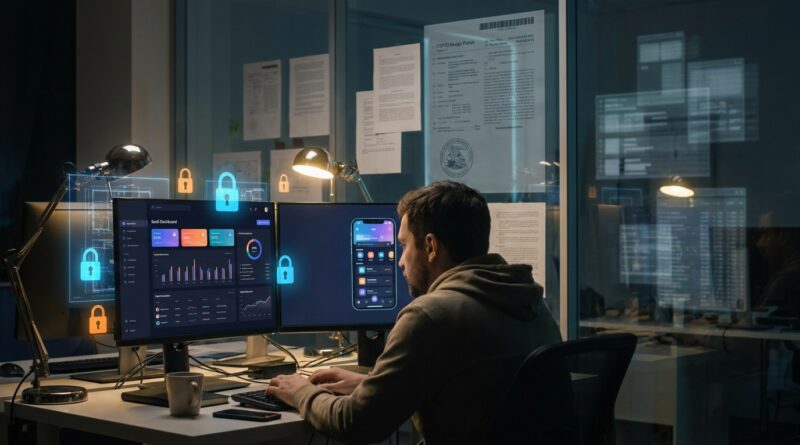
New USPTO Rules Quietly Open A Back Door To Protect Your App’s Look Before AI Clones It
You post a polished product screenshot, feel proud for about five minutes, then spot a suspiciously familiar interface a few weeks later. That sting is real. Founders, indie developers, and product teams have been dealing with a weird gap in IP protection for years. Your app’s look and feel can be one of its biggest selling points, yet copyright often misses the mark, and trademarks mostly protect names, logos, and brand signals. Meanwhile, copycats, including AI-assisted ones, can study what you publish and recreate the vibe fast. The useful news is that the USPTO’s March 2026 guidance makes something much clearer than before. Digital interfaces for apps, SaaS dashboards, projected displays, and even VR and AR visuals can be protected through design patents. That gives creators a more practical way to protect the actual screen designs users see, not just the badge in the corner or the code underneath.
⚡ In a Hurry? Key Takeaways
- The USPTO now clearly says many app, SaaS, projected, VR, and AR interfaces can qualify for design patent protection.
- If your product screens are visually distinctive, start documenting them now and talk with a patent professional before you publicly reveal every variation.
- This does not replace trademarks or copyright. It fills a gap and can make copying your interface a lot riskier for competitors.
Why this matters right now
Most small businesses think IP means a trademark for the brand name and maybe a copyright notice in the footer. That is understandable. It is also incomplete.
If your product stands out because of its dashboard layout, icon arrangement, animated transitions, onboarding flow, or a distinctive set of screen designs, those pieces may be where the real value lives. And those are often the exact parts competitors copy first.
The March 2026 USPTO update matters because it gives clearer support for something many creators badly need. Protection for digital interfaces as visual designs. Not just physical products. Not just packaging. Screens.
If you want the deeper legal background, New USPTO Guidance Quietly Expands Protection For Virtual Interfaces: What That Means For Your Brand’s In‑App Look does a good job of spelling out how this shift applies to modern products.
What changed in the USPTO design patent guidance for digital interfaces and apps
In plain English, the USPTO is making it clearer that a visual interface shown on a screen, or projected into space, can count as a protectable design. That includes things like:
- App screens
- SaaS dashboards
- Menu layouts
- Animated or transitional interface elements, in some cases
- Projected displays
- VR and AR interface views
This is a big deal because there used to be confusion around what counted as a design tied to an “article of manufacture.” The new guidance gives applicants and examiners a more workable path for digital products.
What a design patent protects
A design patent protects the ornamental visual appearance of something. Think of it as protection for how a product looks, not how it works.
For software businesses, that can mean specific screen layouts, visual arrangements, icon placements, and other distinctive interface presentations.
What it does not protect
It does not protect the underlying code. It does not give you ownership over every feature idea. It does not stop someone from making software that performs the same task in a clearly different visual way.
That is why this is best understood as one tool in the toolbox, not a magic shield.
Why copyright and trademarks often are not enough
This is where a lot of smart founders get tripped up.
Copyright
Copyright can protect certain original expressive elements, but it often becomes messy when you are talking about functional screens, standard layouts, and common UI patterns. The more “useful” the design choice looks, the harder the fight can become.
Trademarks
Trademarks protect source identifiers. Your brand name. Your logo. Sometimes a slogan. In some cases, trade dress can help with overall commercial look, but that is usually a heavier lift and often takes strong proof that consumers connect that look with your brand.
Design patents
This is the middle lane many people missed. A design patent can focus directly on the appearance of the interface itself. That makes it especially useful when a clone copies the screen design closely but changes the name and logo.
Who should pay attention
This is not just for giant app companies with a full legal team.
You should pay attention if you are:
- A startup with a distinctive onboarding flow or dashboard
- An indie app maker showing off screenshots on social media
- A SaaS founder whose interface is part of the product’s appeal
- A design-led product team building in VR or AR
- An ecommerce software brand with a unique in-app visual system
If users recognize your product partly because of what the screens look like, this should be on your radar.
How AI cloning makes this more urgent
AI tools have made imitation faster, cheaper, and more scalable. A bad actor does not need to carefully redraw every detail by hand anymore. They can feed screenshots into image tools, prompt coding systems to rebuild a similar interface, and get surprisingly close in a short time.
That does not mean AI creates a brand new legal problem from scratch. It means an old problem, copying, has become easier to do at speed.
So this guidance lands at the right moment. It gives product makers a concrete option they can use now, instead of sitting around waiting for future AI laws that may take years to sort out.
What you should do if your app screens are worth protecting
1. Identify your most distinctive screens
Not every screen is worth filing on. Focus on the ones that carry your product identity. Usually that means a home dashboard, a signature workflow view, a unique settings panel, a special reporting layout, or a branded AR or VR display.
2. Save dated copies of your design evolution
Keep screenshots, prototypes, design files, and release notes. Save versions with dates. If you ever need to show when your design existed and how it developed, clean records help.
3. Be careful about public disclosure timing
Patent timing rules matter. In the United States, public disclosure does not always kill your options immediately, but waiting is risky, especially if you may want protection outside the U.S. If the interface matters, talk to a qualified patent attorney early.
4. Think in terms of a filing strategy, not one screen
Your product may have several valuable visual elements. Sometimes the right move is to protect a family of related interface designs, not just one screenshot.
5. Keep using trademarks too
This is not an either-or choice. Keep protecting your name, logo, and brand assets. Design patents help with the screen appearance. Trademarks help with who you are in the market.
Common misunderstandings to avoid
“If I made it first, I’m automatically protected.”
Not in the way many people think. Rights depend on the type of IP involved and whether you actually filed for the right protection.
“My copyright covers the whole app look.”
Maybe parts of it. Maybe not enough. That is exactly why design patent protection is getting more attention.
“This only applies to phone apps.”
No. The updated guidance is broader. It can matter for SaaS products, projected interfaces, and VR or AR environments too.
“This is only for big companies.”
Small brands may actually need it more, because they often cannot afford a long fight after a clone appears.
At a Glance: Comparison
| Feature/Aspect | Details | Verdict |
|---|---|---|
| What is protected | The ornamental visual appearance of app screens, SaaS interfaces, projected displays, and some VR/AR visuals | Strong option if your look is a selling point |
| What it does not cover | Underlying code, general ideas, core function, or every similar workflow | Useful, but not a one-size-fits-all shield |
| Best next step | Audit your key screens, save dated design records, and get advice before broad public rollout | Smart move for design-led startups and creators |
Conclusion
If you have been feeling like the system only protects your logo while leaving your actual product screens exposed, this guidance is a real shift. The USPTO’s March 2026 update finally makes it clearer that interfaces for apps, SaaS tools, projected displays, and VR or AR environments can be protected as design patents. That closes a gap copycats and offshore competitors have been happy to use. For small brands especially, this is practical news, not just legal trivia. You do not need to wait for brand new AI laws to start protecting what makes your product look different. If your interface is part of your edge, now is a good time to treat it like an asset worth ring-fencing.